Run your own operation
Manage customers, transfers, greeters, drivers and vehicles in one panel. Keep reports, day-to-day finances and U-ETDS notifications in the same workflow.
Discuss portal accessManage greeters, drivers, vehicles and transfers with YolcuGo Portal. Track reports, day-to-day finances and U-ETDS in the same panel, with the option to take bookings under your own brand.
Last updated: 2026-10
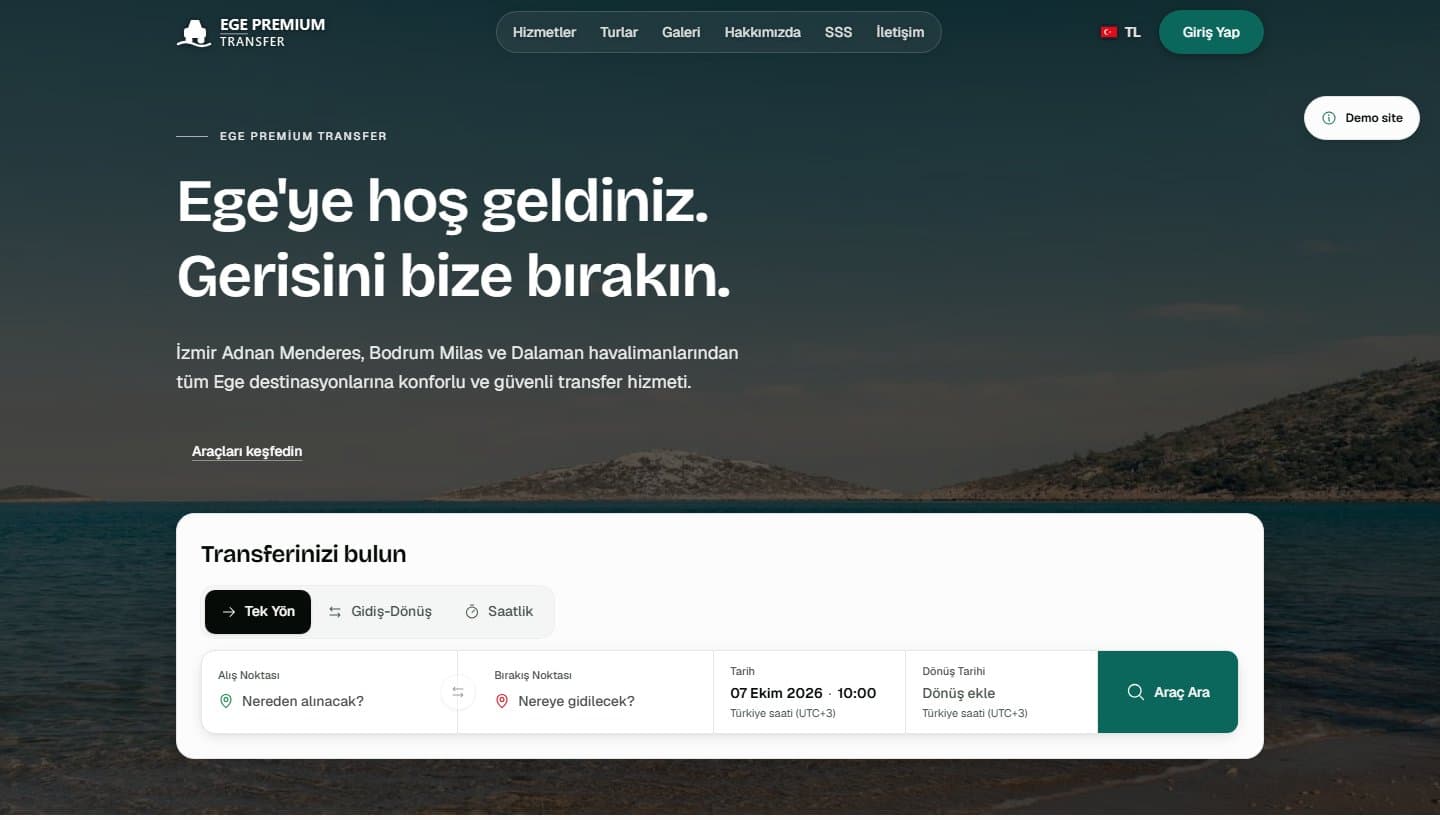
Welcome customers with your own logo and colours. Manage bookings from your website in the same panel as your operations.
Publication, online sales and card payments depend on account setup and required approvals. We define the scope together.
Use YolcuGo Portal as independent operations software and add your own white label booking website. Supplying vehicles is not required.
Manage customers, transfers, greeters, drivers and vehicles in one panel. Keep reports, day-to-day finances and U-ETDS notifications in the same workflow.
Discuss portal accessUse a white label transfer website alongside your operations portal. Plan setup and sales activation with our team.
Discuss portal accessExplore the modules that support transport operators’ daily work through actual screens.
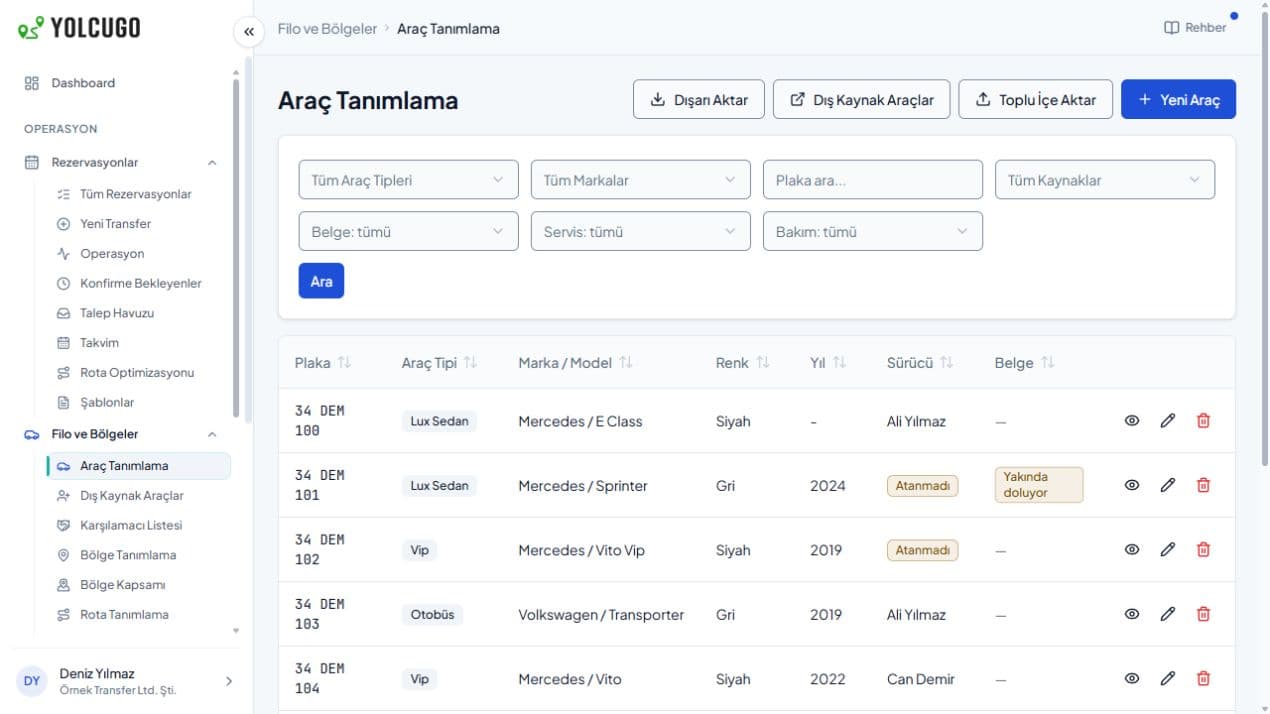
Create bookings for your customers and manage vehicle and driver assignments. Track documents, maintenance and unavailable vehicles in your fleet list, with your own operations team.
Filter your fleet by vehicle type and source, and follow document and maintenance status.
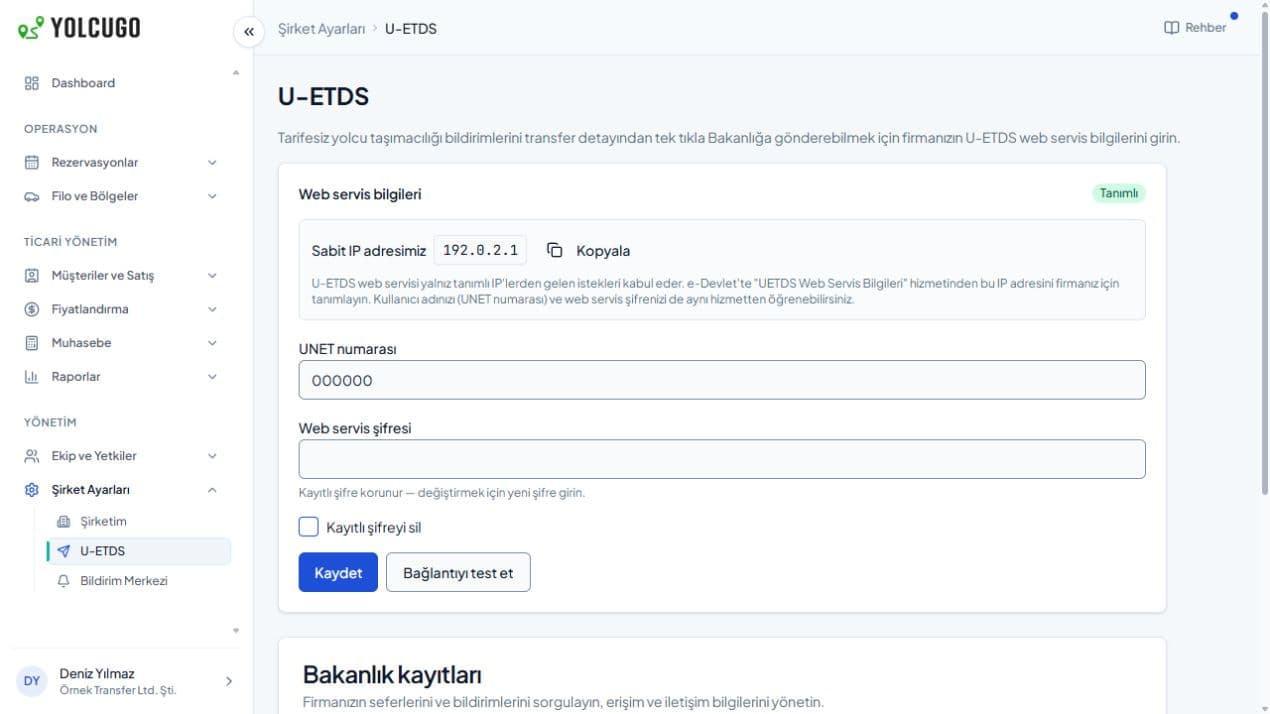
Set up your U-ETDS connection, submit reports from the transfer details and track the result. Query ministry records and check your vehicles and drivers in the same system.
Actual connection settings with anonymised service details. You initiate reporting from the transfer record.
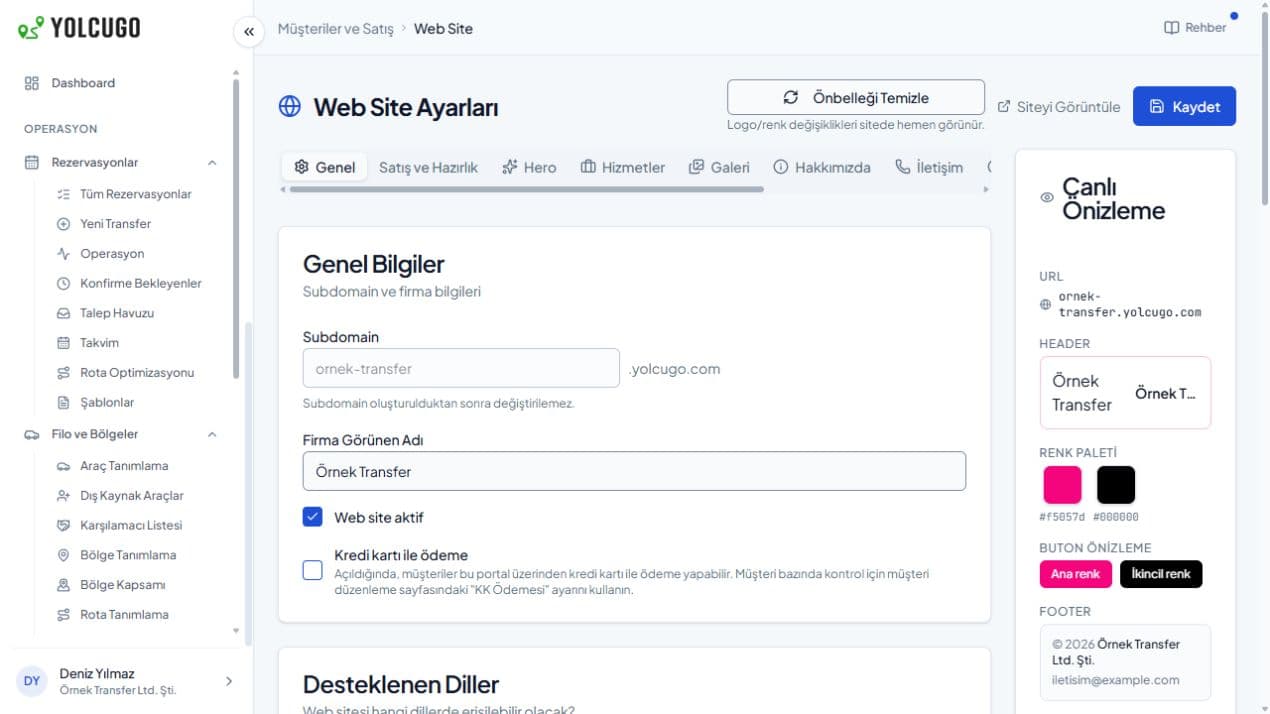
Configure your transfer website with your logo, colours and content. Manage your customers and bookings on the same infrastructure. Plan publication, sales and payment scope for your needs.
Manage brand settings in the panel. Publication, online sales and payments require setup and approvals.
Discuss your requirements for your own operation, a white label booking website or both with our team.
Prepare vehicle, driver, customer, rate and team information for the way you work.
Track bookings and assignments; handle U-ETDS reporting and reconciliation within your operations.
No. You can use YolcuGo Portal independently for your own customers, team, fleet and transfer operation. You do not need to supply vehicles to YolcuGo.
After connection setup and missing-information checks, you can initiate a submission from the transfer details, track its result and update changed information. You can also query trips, penalties and warnings, check vehicle authorisation and inspection records, and verify driver qualifications and identity.
Yes. Manage branding and site content in the panel. Publication, online sales and payments depend on account setup and required approvals.
Tell us about your team, operation and needs. We will identify the right setup together.