Your sales channel. Your supplier network.
Connect your OTA or agency system through the API and keep working with your suppliers. Follow journeys with live tracking, route analysis and WhatsApp/SMS updates.
Last updated: 2026-10
From integration to passenger arrival.
Connect booking, operations and passenger communication while keeping your existing sales and supplier model.
Connect to your existing business model.
Bring quotes and bookings into your sales channel through the API. Receive status events through webhooks and keep your preferred suppliers with direct or request-and-confirm workflows.
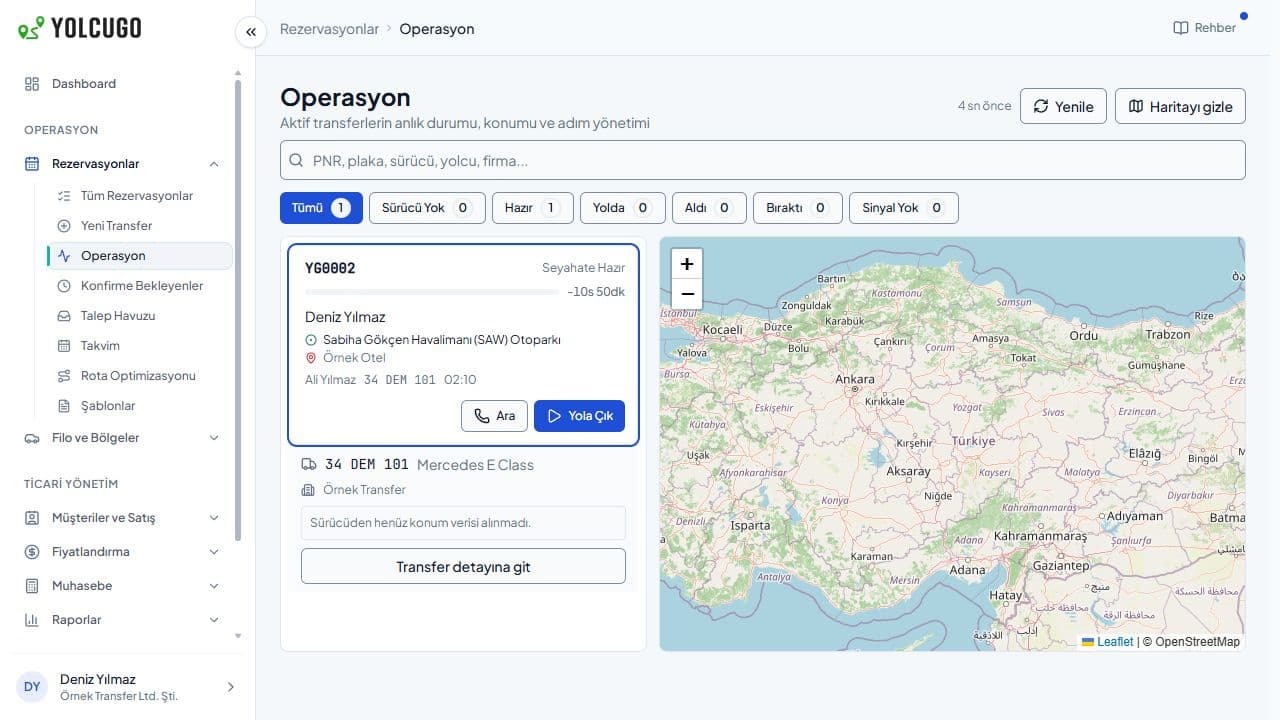
Booking events reach your system
Webhook configuration and delivery tracking. API access and integration scope are agreed during setup.
Visibility beyond the booking.
Follow the status of your passenger’s transfer and open its live tracking map. For trips with location data, review routes, speed, stops and driving scores to understand the journey.
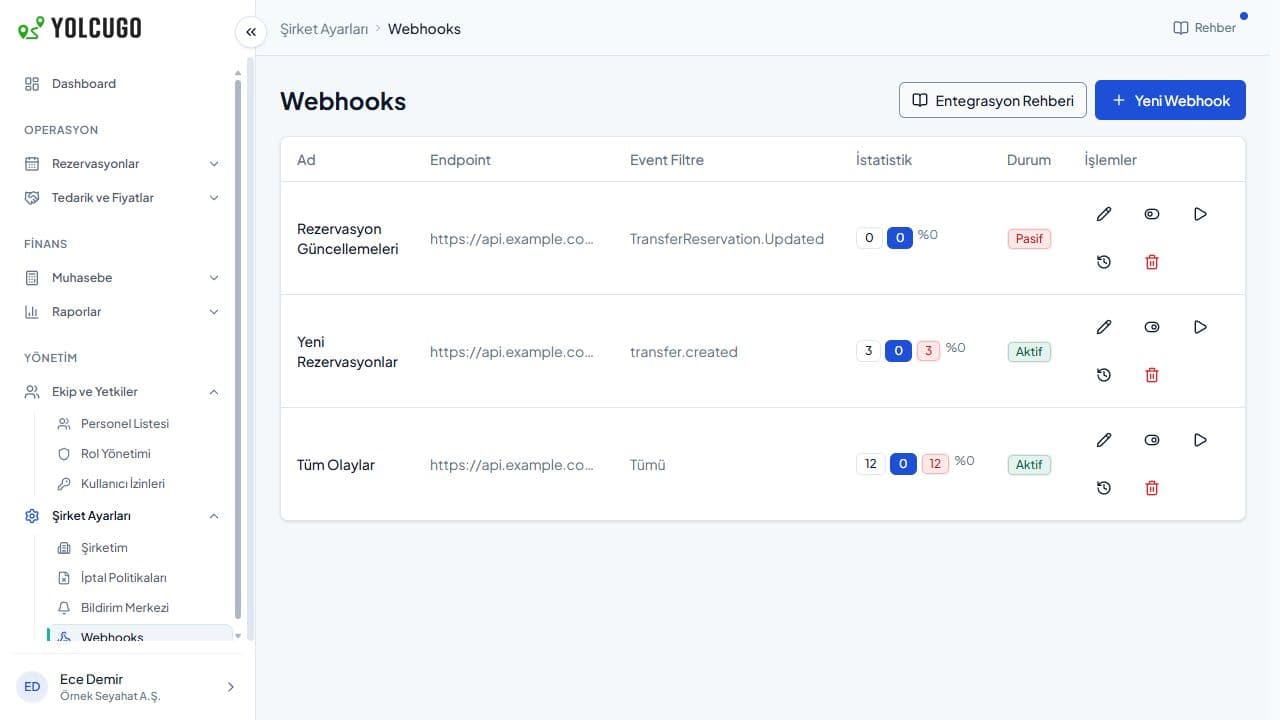
Transfer list and operations map
See transfers and their status on the left, with the operations map on the right. Live location display depends on the driver sharing their location.
Keep passengers informed.
Choose recipients and channels for bookings, driver assignments and journey statuses. Include WhatsApp, SMS and email in passenger communications and configure updates for your operations team.
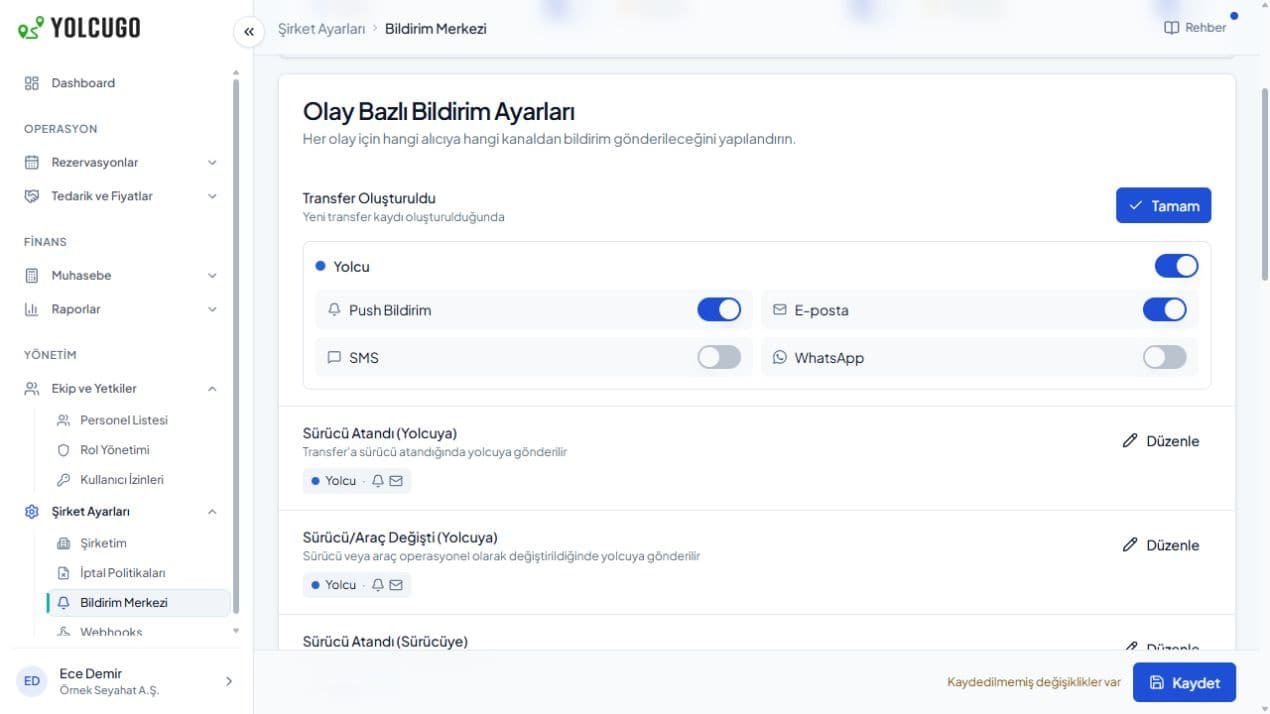
Notification channels by event and recipient
Delivery depends on channel setup and preferences. WhatsApp requires approved message templates.
Connect, manage and follow.
Connect your system
Plan API access, booking flows and webhook events with the integration team.
Use your supplier network
Choose your suppliers and working arrangements, then follow transfer statuses.
Make journeys visible
Use live tracking and passenger updates; review recorded journeys in route analysis.
Before you start
Can we keep working with our own suppliers?
Yes. Manage preferred suppliers and use direct booking or a workflow that requires price and availability confirmation.
Can we integrate our OTA through the API?
Connect quote and booking flows through the Partner API and receive events through webhooks. Access, testing and production rollout are planned with the integration team.
How do live tracking and WhatsApp/SMS work?
Track transfers with location sharing enabled. Notifications follow your selected events, recipients and active channels; WhatsApp uses approved templates.
Let’s explore YolcuGo with your workflow in mind.
Tell us about your team, operation and needs. We will identify the right setup together.