Manage guest transfers with your front desk.
Plan guest arrival and departure transfers. Give front-desk teams journey visibility and keep guests informed with notifications.
Last updated: 2026-10
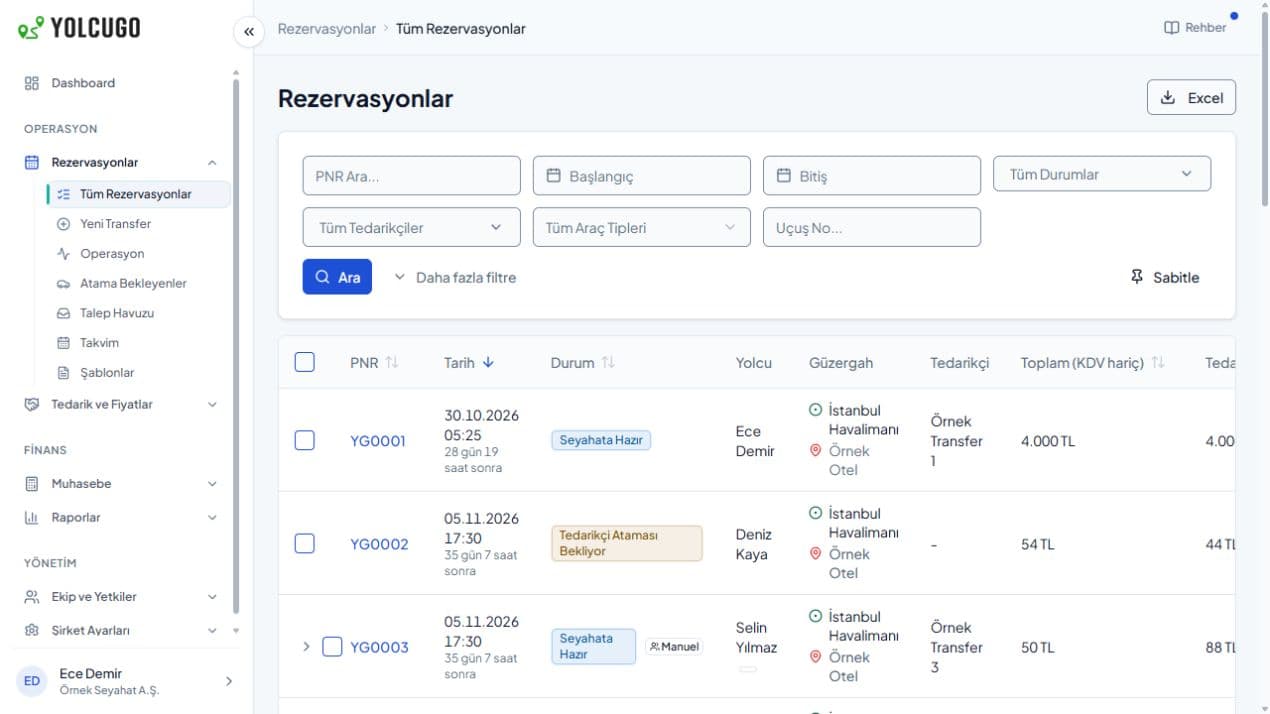
From guest arrival to period reports.
Transfer planning, journey tracking and spending visibility for front-desk and reservation teams.
Have your welcome plan ready.
Create arrival and return bookings using guest, flight, date and route information. Front-desk and reservation teams follow the same transfer record.
Guest arrival and departure transfers
Dates, passengers, routes and transfer statuses for front-desk teams.
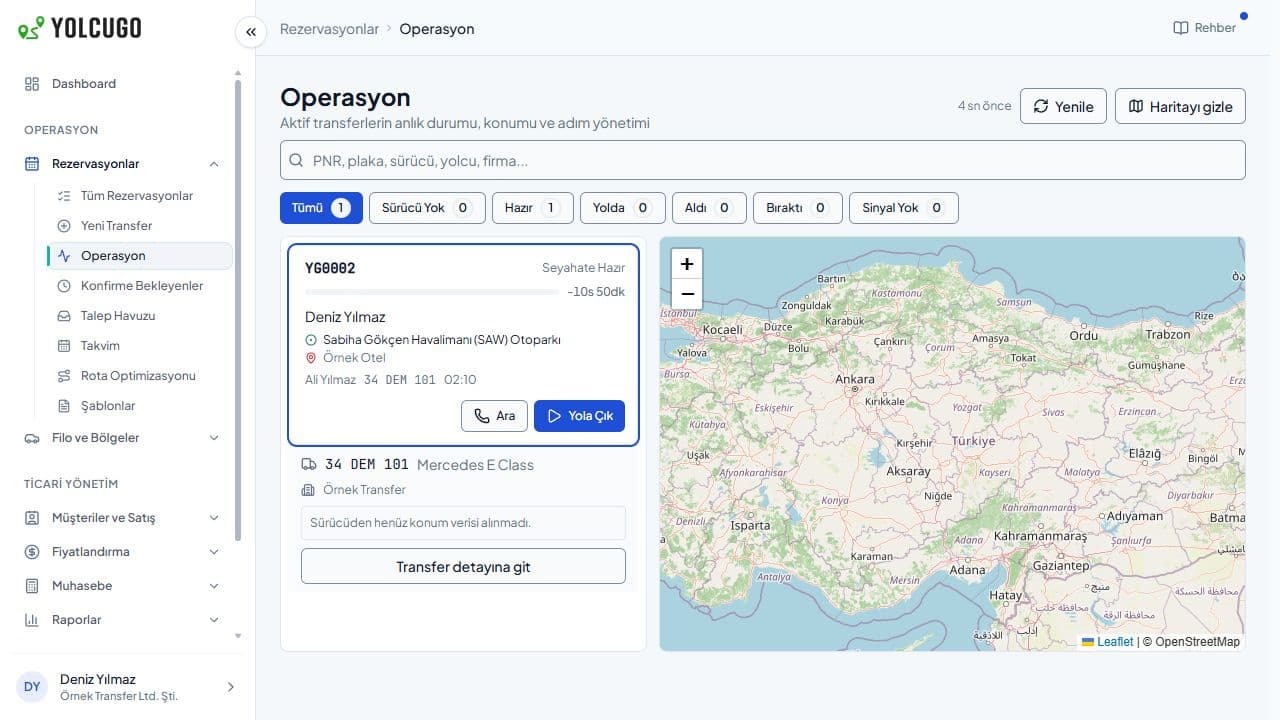
See your guest’s journey.
Check the transfer stage and open the live map when location sharing is available. Keep guests informed with WhatsApp, SMS and email preferences.
Guest transfers and operations map
See transfers and their status on the left, with the operations map on the right. Live location display depends on the driver sharing their location.
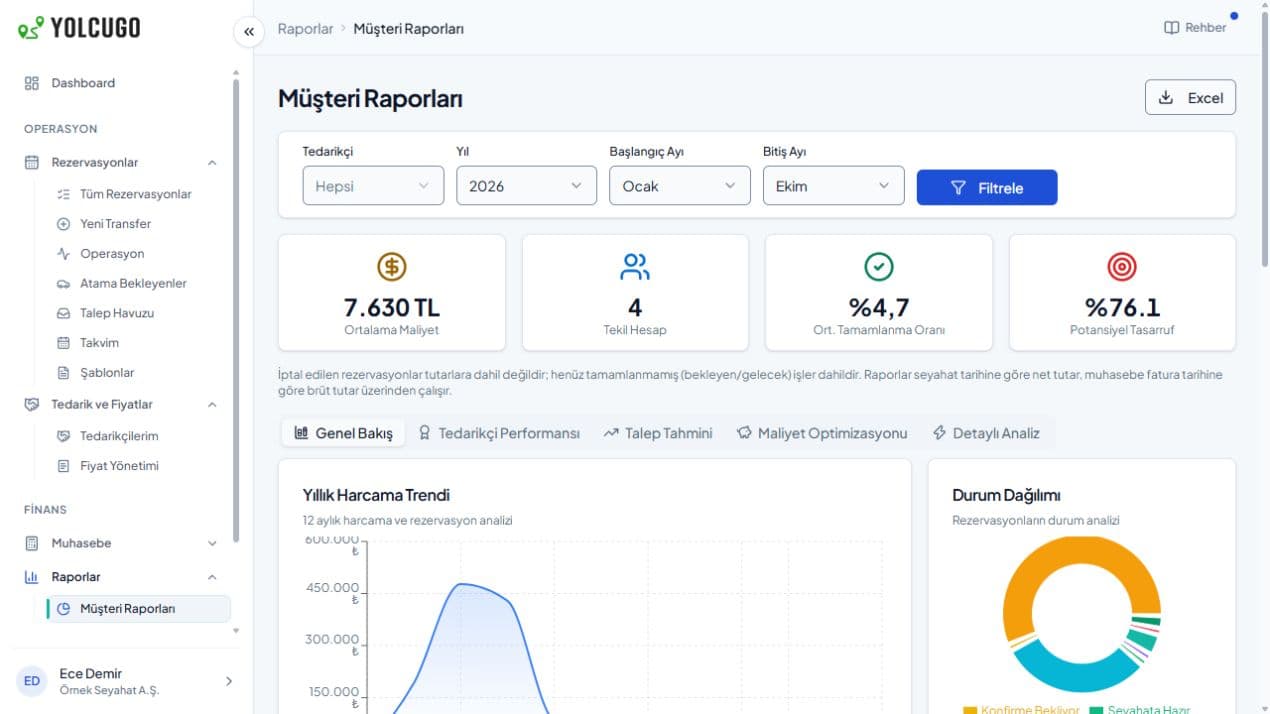
A clear view of your transfer service.
Review guest transfers and expenses by date range. Bring daily booking follow-up and periodic review together.
Guest transfers and spending
Period booking and expense overview.
Receive the request. Follow the service.
Take the guest’s request
Create an arrival or return transfer with passenger, flight, date and route details.
Keep the team informed
Let front-desk and reservation teams see current transfer statuses and arrange guest notifications.
Review the service
Review guest transfers and spending through period reports.
Before you start
Can front-desk and reservation teams use it together?
Team access is arranged by role. Authorised teams can follow the same bookings.
Can we follow a guest’s journey?
View transfer statuses in the panel and open live tracking for journeys with location sharing.
Can guests receive WhatsApp or SMS updates?
Passenger notifications use channel setup and event preferences. WhatsApp messages use approved templates.
Let’s explore YolcuGo with your workflow in mind.
Tell us about your team, operation and needs. We will identify the right setup together.