Company travel, under your policies.
Bring travel policies, individual limits and cost centres together for employee transfers. Let travel teams plan and finance teams see spending.
Last updated: 2026-10
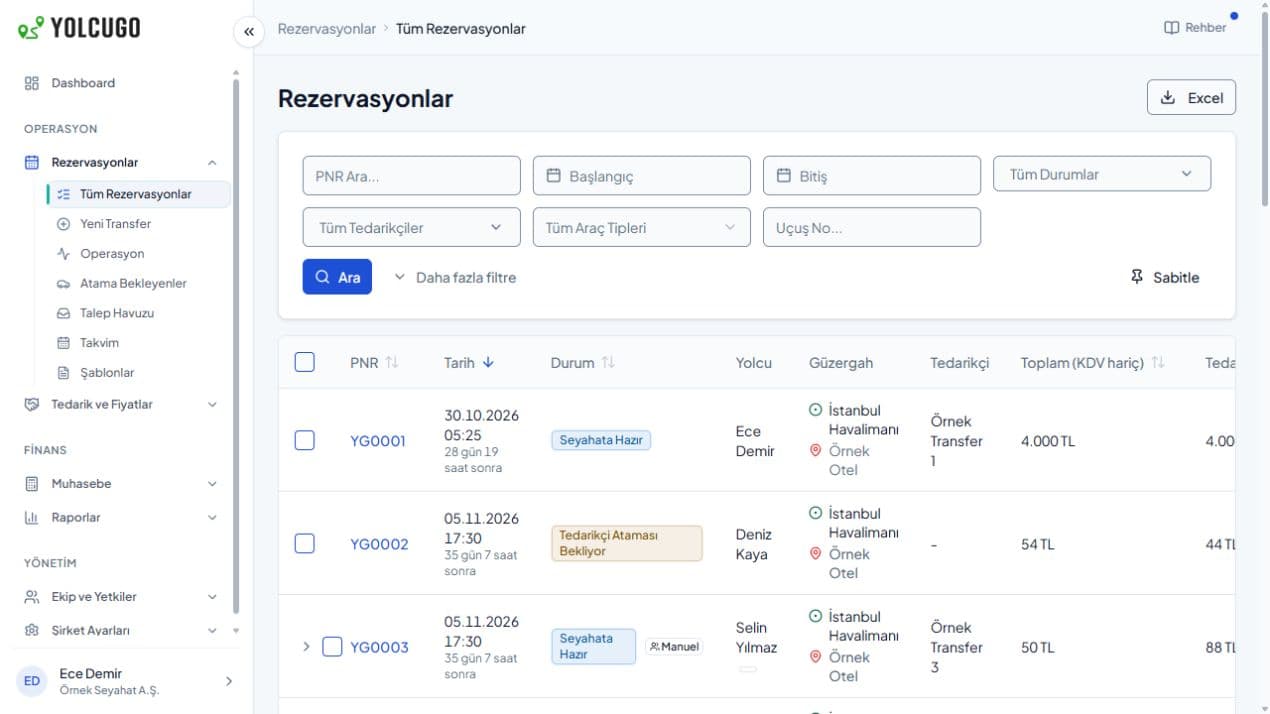
Control for travel teams. Visibility for finance.
Set the rules, allocate the expense and review actual spending.
A clear travel framework for every employee.
Manage budgets with per-transfer and monthly amount limits. Define company or employee policies and vehicle type restrictions to fit your travel arrangements.
Four controls for your travel policy
Set limits around your company’s travel needs, then define who they cover and which vehicle types are allowed.
- Per-trip limit
- Set a maximum amount for each journey.
- Monthly spending limit
- Define the budget limit for travel during the month.
- Company and employee scope
- Apply rules across the company or to an individual employee.
- Vehicle type rules
- Define the vehicle types that fit your travel policy.
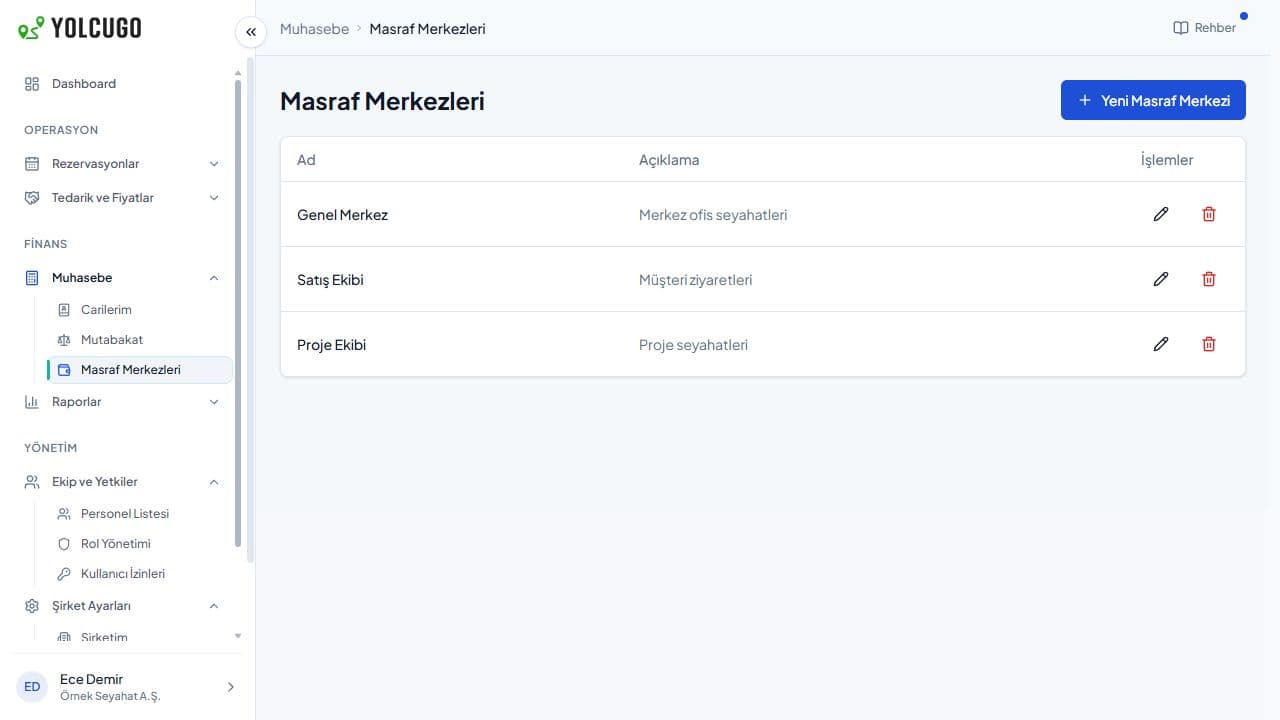
Which trip belongs to which team?
Associate transfer expenses with departmental and project cost centres. Keep travel planning and financial follow-up connected through the same record.
Cost centres for departments and projects
An actual cost-centre list with anonymised example names.
See the period as a whole.
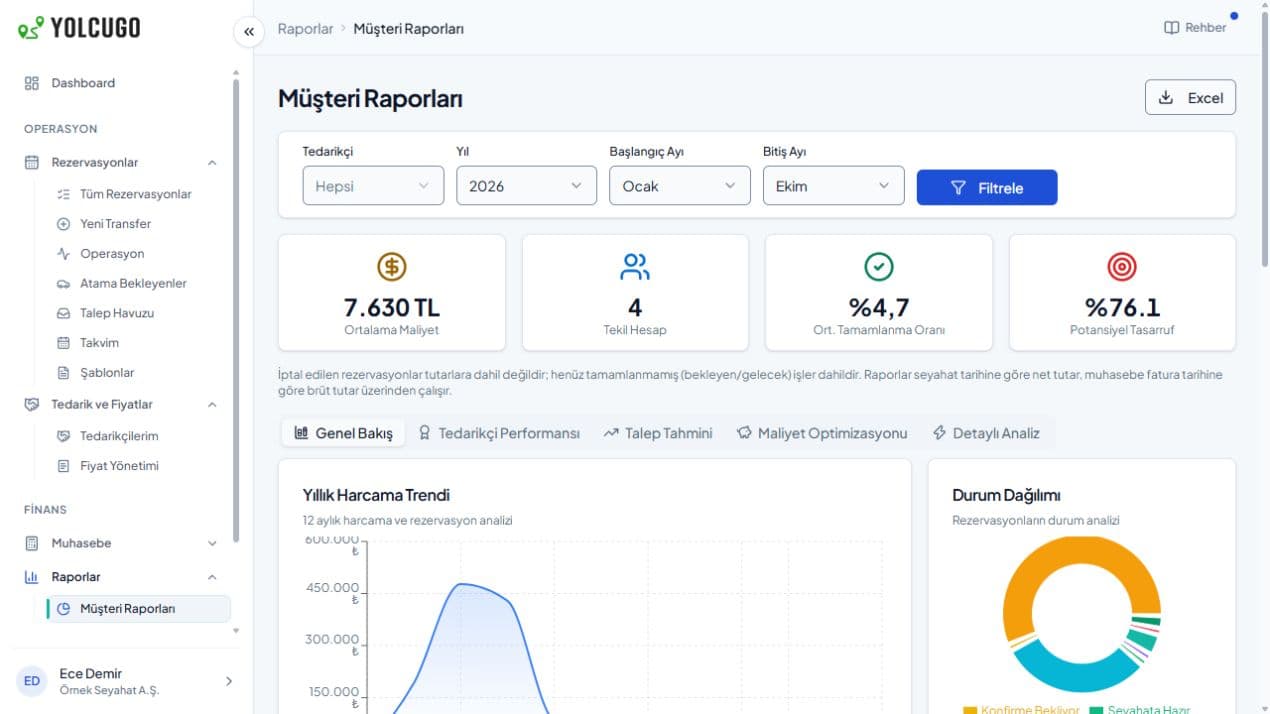
Review completed transfers, booking statuses and spending trends. Travel teams follow daily journeys while finance reviews the period.
Transfer spending and period reports
Review spending trends and booking statuses for a selected date range.
From travel rules to spending reports.
Define your policies
Set company and employee limits per transfer and per month, together with vehicle restrictions.
Plan the journey
Associate employee and guest bookings with cost centres and define team access.
Review spending
Use period reports to evaluate completed trips and expenses.
Before you start
Can employees have different limits?
Company and employee policies support per-transfer and monthly amount limits as well as vehicle type restrictions. Setup and management permissions depend on your account structure.
Can we allocate expenses by department or project?
Define cost centres and associate bookings with the relevant centre to organise internal expense tracking.
Can travel and finance teams work together?
Access and roles are configured for your account. Travel teams manage bookings while authorised finance staff review expenses and reports.
Let’s explore YolcuGo with your workflow in mind.
Tell us about your team, operation and needs. We will identify the right setup together.